
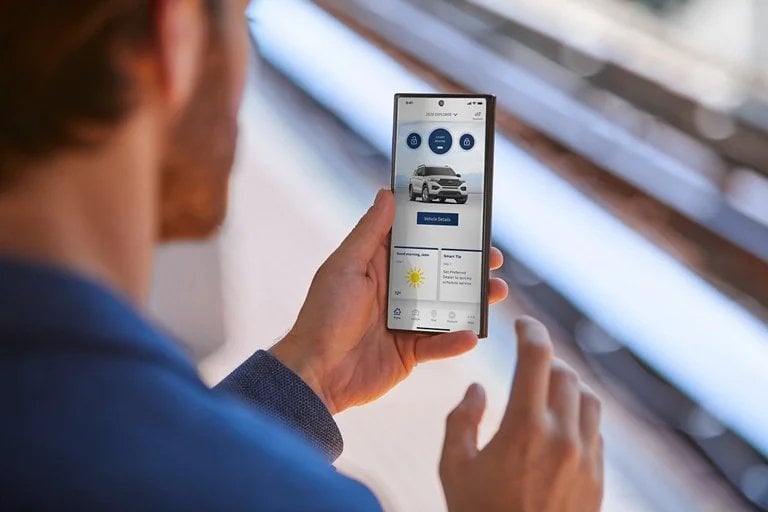
Remote Start

Lock and Unlock

Locate Your Vehicle
More Complimentary Ford App Features

Know Your Vehicle
Access key information and warranty information at a glance.

Roadside Assistance
Hit the road with confidence with 24/7 roadside assistance.

Plan Your Trip
Find parking, fuel, charging stations, restaurants, and more.

Stay Connected
Make your Ford a Wi-Fi hotspot and connect up to 10 devices.

All-Electric Vehicles
Powerful features like EV Trip Planner and Blue Oval™ Charge Network.

Ford App Rewards
Earn points and redeem them towards Ford service.
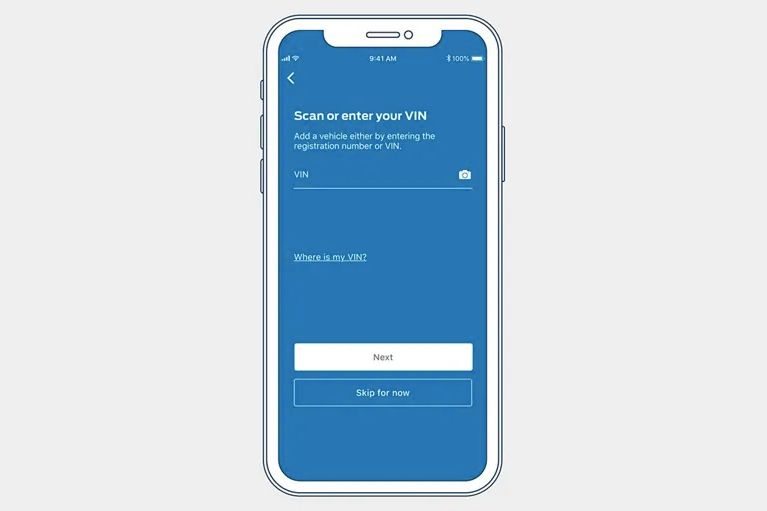
Step One
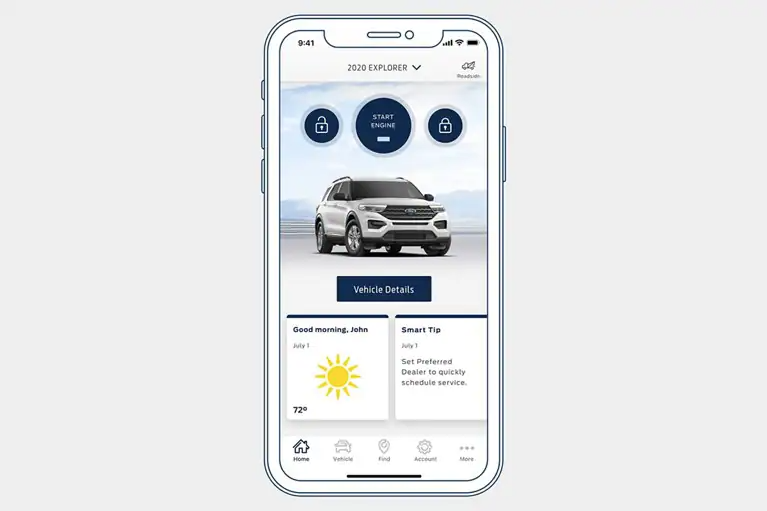
Step Two
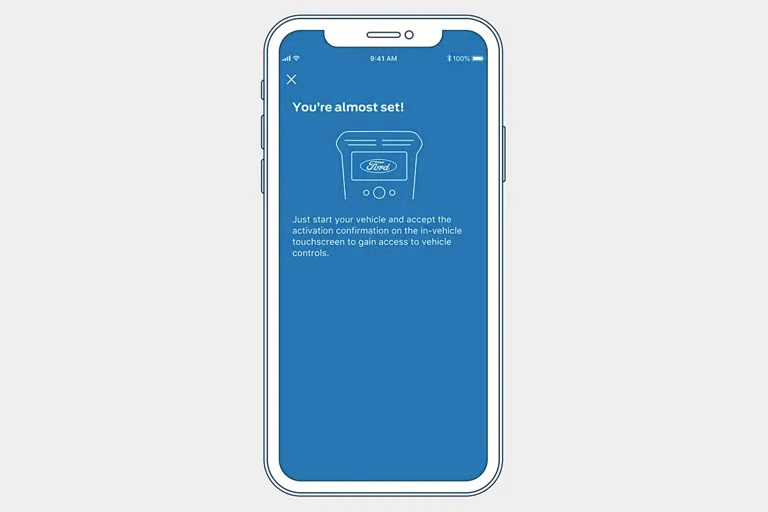
Step Three

Our FordGuides are Here to Help
Our FordGuides are available via phone or live chat through the Ford App and are happy to help you with any Ford App needs or questions you may have. Here are a few things a FordGuide can assist you with:
- Adding your VIN
- Starting your vehicle remotely
- Enabling SYNC® AppLink technology
- Resetting your password and much more.
Contact FordGuides by live chat via the Ford App or by phone at 1-855-542-7821.